
Purchases & expenses
The Purchases menu mirrors the sales side for money going out: vendors, bills, purchase orders, debit notes and payables.
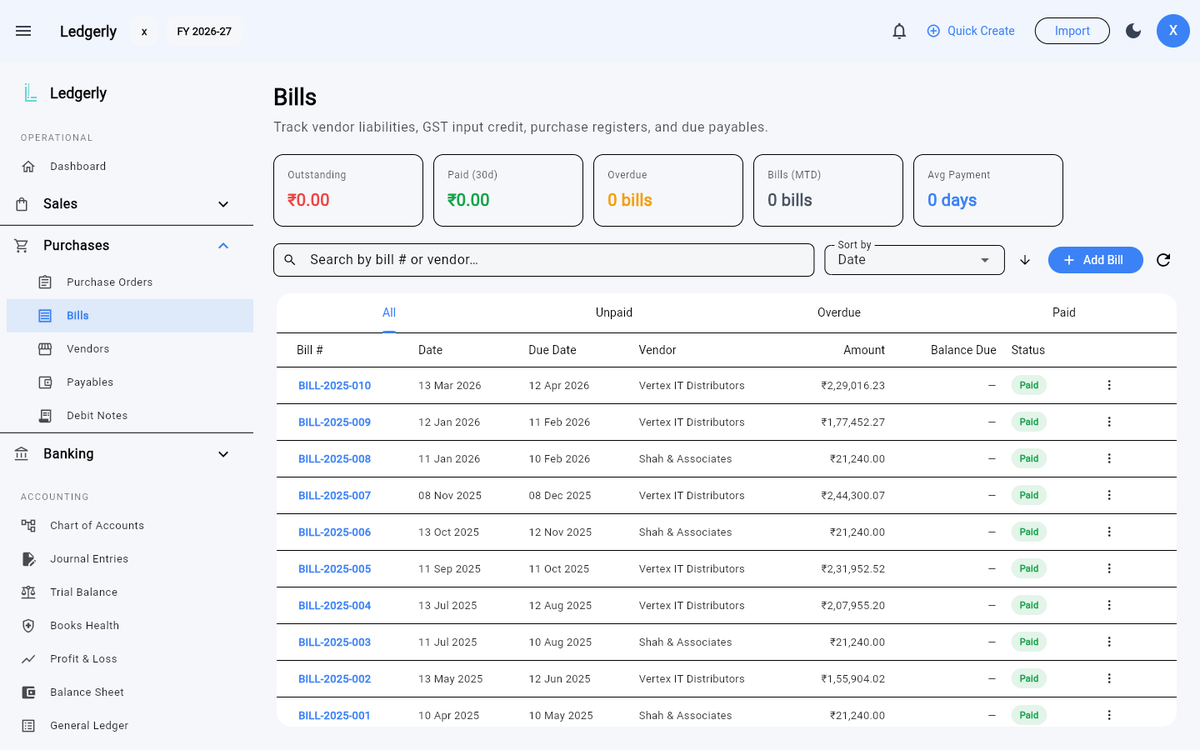
Purchases → Bills — vendor liabilities, GST input credit and due payables in one register.
Vendors
Add suppliers under Purchases → Vendors with their state and GSTIN — like customers, the vendor's details drive the GST treatment on their bills.
Recording a bill
Purchases → Bills → Create Bill records a supplier invoice:
- Pick the vendor, bill date and due date.
- Add line items with HSN/SAC, quantity, rate and GST %. Input GST is tracked separately from output GST, so your tax ledger stays clean.
- Posting the bill writes the expense (or inventory), input-GST and payable journals to your books in one balanced entry.
Items linked to inventory increase stock on hand when a purchase bill posts, and the item's weighted-average cost updates automatically.
Reverse-charge bills
On some purchases the supplier charges no GST and you pay it to the government instead. Tick Reverse charge on the bill and Ledgerly posts both halves: the tax you now owe to RCM Payable, and the matching input credit to Input CGST/SGST/IGST. Then raise the payment voucher the rules require from Purchases → Payment Vouchers — only reverse-charge bills are offered there, because a supplier who charged tax normally has issued their own invoice.
Classify each line's input tax credit while you're in the bill — what was bought, and whether the credit is eligible, ineligible or common. GST & Tax → ITC Register then shows your credit position for the period, and names any credit that was never classified rather than quietly counting it as claimable. See GST & taxes for the detail.
Payments & payables
Record payments against bills as you make them. Purchases → Payables shows what you owe and when it's due, and the ageing report under Reports → Aging breaks payables down by how overdue they are.
Payables also carries the 180-day warning: where a bill has gone unpaid that long, Rule 37 reverses the input credit you already took, and Ledgerly badges the bill so you find out from your books rather than from a notice. Ledgerly warns — it does not post the reversal for you.
Debit notes
Returning goods or receiving a supplier credit? Create a debit note under Purchases → Debit Notes, linked to the original bill — the reversal posts proper journals against the expense, input GST and payable.
Purchase orders
Raise POs under Purchases → Purchase Orders to track what you've ordered before the bill arrives, then convert them when goods are received.