
Getting started
Ledgerly runs entirely in your browser at books.ledgerly.finance — there's nothing to install.
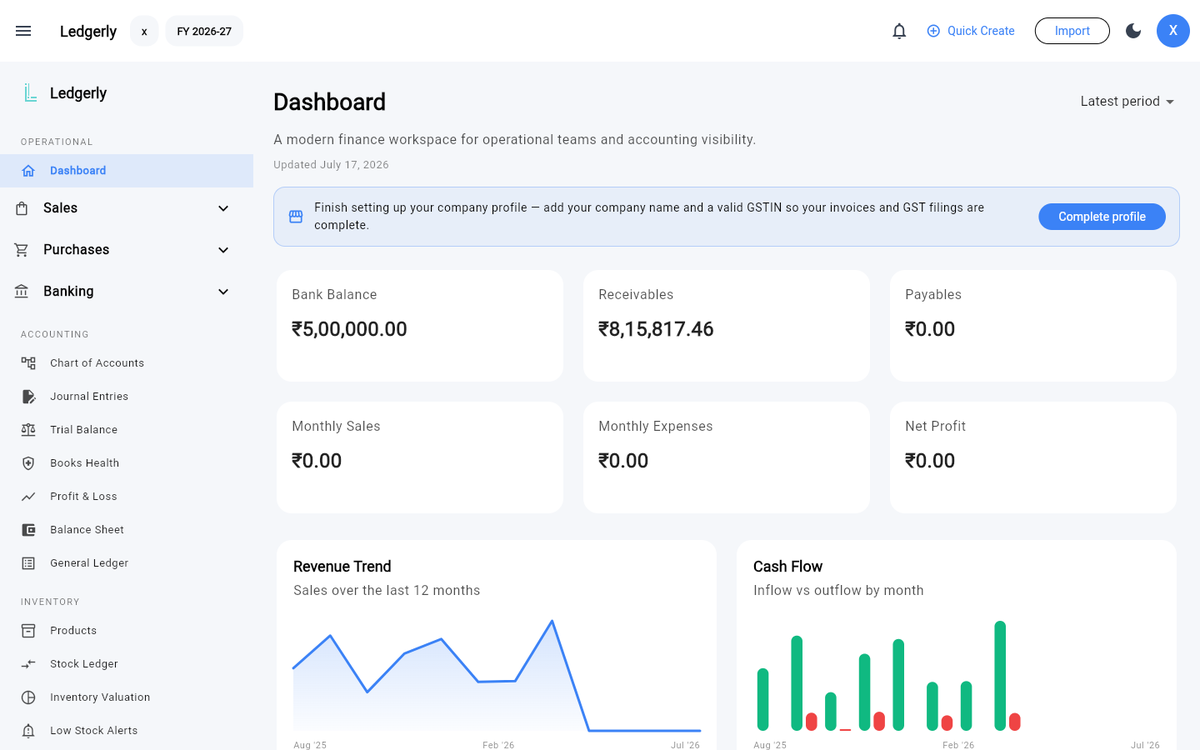
The dashboard — your financial position at a glance, updated live.
1. Create your account
Sign up with your email and a password, or continue with Google. Right after sign-up, Ledgerly walks you through a one-time company profile setup:
- Company name — appears on your invoices and reports.
- GSTIN — your GST registration number (you can add it later if you're not registered yet).
- Address and phone — used on invoice PDFs.
- Logo (optional) — shown on your invoice templates.
You can change any of this later under Settings → Company Profile.
2. Set your books start date
Ledgerly organises your books into April–March financial years. Under Settings → Financial Years, set the date your books begin — the current financial year is highlighted, and reports are scoped to it. Changing the start date also creates the Opening Balance Equity account used when you bring in opening balances.
3. Know your chart of accounts
Ledgerly creates a standard chart of accounts for you — assets, liabilities, equity, income and expenses — under Accounting → Chart of Accounts. Every invoice, bill, payment and adjustment posts balanced journal entries against these accounts automatically. You can add accounts of your own as the business needs them.
4. Bring in your data (optional)
Moving from Tally or spreadsheets? Download the import template from any Imports page — one workbook with a sheet for accounts, customers and vendors, items, invoices, bills and a bank statement — fill in what you have, and bring it all in at once from Imports → Import Workbook. Tally users can instead export Masters as XML and load it under Imports → Masters & Opening Balances. See Imports & migration.
Starting fresh? Skip straight ahead.
5. Post your first invoice
- Add a customer under Sales → Customers.
- Go to Sales → Invoices → Create Invoice.
- Pick the customer, set the place of supply, add line items — Ledgerly applies CGST + SGST or IGST automatically.
- Click Create Invoice. The invoice posts to your books, and the PDF is ready to share.
From here, explore the Sales & invoicing guide for drafts, credit notes and payment tracking.
Where things live
| Menu | What's inside |
|---|---|
| Sales | Invoices, customers, sales orders, credit notes, receivables, receipt vouchers, refund vouchers, delivery challans |
| Purchases | Bills, vendors, purchase orders, debit notes, payables, payment vouchers |
| Inventory | Products, stock ledger, valuation, low-stock alerts |
| Banking | Bank accounts, transactions, reconciliation, cash book |
| Accounting | Chart of accounts, journal entries, Trial Balance, P&L, Balance Sheet, General Ledger, Books Health |
| GST & Tax | GSTR-1, GST summary, ITC register, tax ledger |
| Reports | Sales, expenses, ageing, cash flow, customer & vendor statements |
| Imports | Import workbook, masters, sales, purchases, bank statements, mapping templates, history |
| Settings | Company profile, financial years, users & roles, integrations |